
Introduction
For a long time, anyone who wanted to experiment with quantum circuits had to learn Python, install SDKs, and understand a lot of strange symbols from quantum mechanics. That barrier scared away many curious students, software engineers, and tech lovers who wanted to explore this new world but did not feel ready for the math and code. Today, that reality is changing fast.
A new generation of visual, no-code platforms now allows you to build quantum circuits by simply dragging and dropping gates on a canvas. Instead of staring at matrices and complex equations, you work with clean diagrams, buttons, and interactive charts. The platform quietly takes care of the physics in the background and shows you how your quantum circuits behave through clear probabilities, graphs, and measurement results.
This shift is important because it opens quantum computing to a much wider audience. A physics student can test ideas without touching a single line of code. A web developer can understand how quantum circuits work before committing to deep study. A startup founder can explore whether quantum algorithms might help their business without hiring a specialist from day one. In other words, no-code quantum turns a very technical domain into something you can explore with curiosity, not fear.
In this guide, you will see what quantum circuits really are, how visual builders work behind the scenes, and why no-code tools are becoming a serious part of the quantum ecosystem. You will also get a practical learning path so you can move from “I’ve heard of qubits” to “I can build basic quantum circuits without coding” in a structured and confident way.
What Are Quantum Circuits?
At the heart of every quantum algorithm lies a simple idea: you start with some qubits, you apply a sequence of operations to those qubits, and then you measure the result. That sequence of operations is what we call a quantum circuit. Just as traditional software is built from lines of code and logic gates, quantum algorithms are built from layers of quantum gates acting on qubits.
Each qubit begins in a basic state, usually written as |0⟩. When you apply a gate, you change the state of that qubit in a way that follows the rules of quantum mechanics. A Hadamard gate, for example, pushes a qubit into a superposition where it is partly |0⟩ and partly |1⟩ at the same time. A CNOT gate links two qubits together, creating entanglement so that a change in one is connected to the other. By combining these gates in different patterns, you design quantum circuits that perform searches, optimizations, simulations, and other powerful tasks.
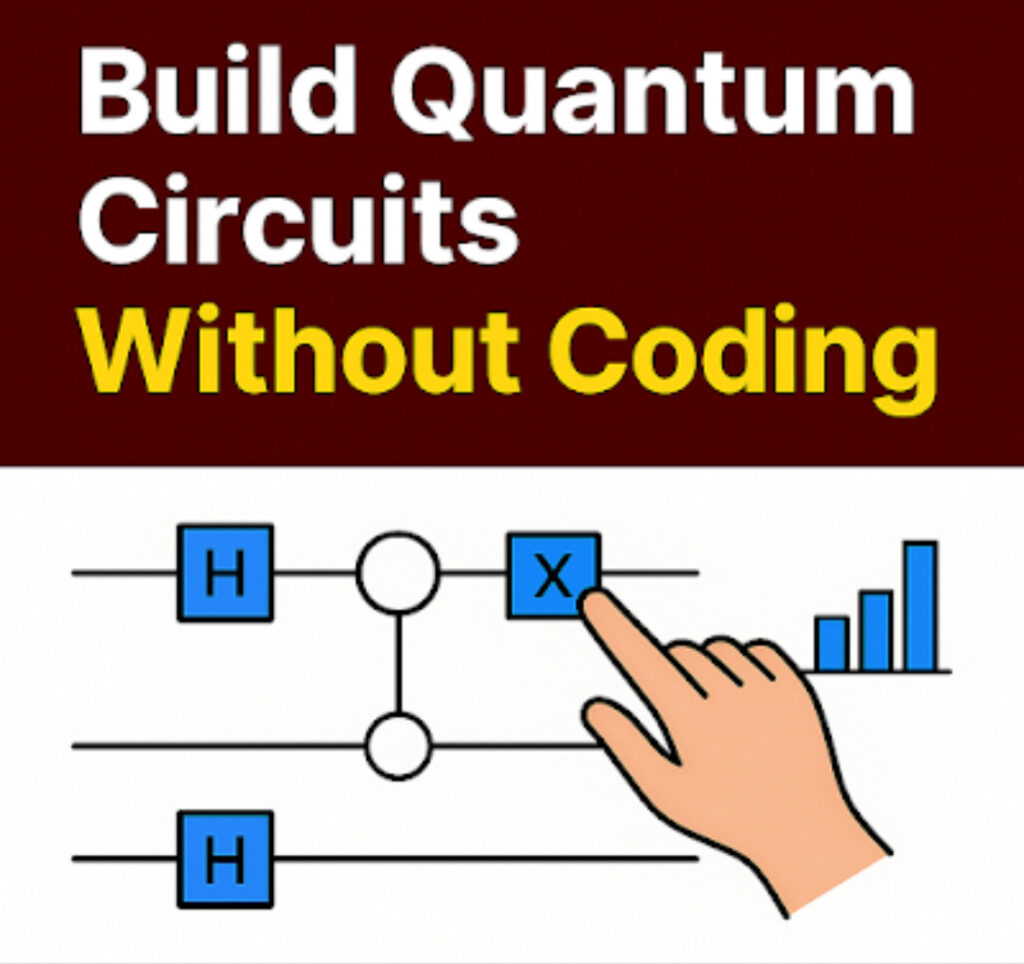
In a traditional coding workflow, you describe these circuits using a programming language. You call functions, pass parameters, and think about the order of operations line by line. In a no-code workflow, you still build the same quantum circuits, but instead of writing instructions, you place icons on a timeline. A horizontal line represents a qubit. You drag gates like H, X, or CNOT onto that line. The visual layout you create is the circuit.
The real magic happens when you run the circuit. The platform simulates how your quantum circuits evolve, calculates the probabilities of each possible outcome, and shows you the measurement results. You see bars, charts, or Bloch spheres update in real time. This makes abstract ideas like superposition and interference much easier to understand because you are not just reading definitions—you are watching the consequences of your design on live data.
You may like:how to build your first quantum circuit
Why Building Quantum Circuits Without Coding Matters
Learning any new technology is easier when you can “touch” it quickly. In the past, someone curious about quantum circuits had to push through several layers before seeing anything useful: install tools, configure environments, learn syntax, and then finally run a small test. Many people gave up before reaching the exciting part. No-code platforms flip that journey. You start from the exciting part—dragging gates, running circuits, and seeing results—and only later decide whether you want to go deeper into code and theory.
This has three powerful effects. First, it reduces fear. Instead of thinking “quantum is too hard for me,” learners discover that they can build simple quantum circuits in a single afternoon. Second, it speeds up experimentation. You can test more ideas in less time because you are not fighting with syntax or debugging low-level code. Third, it makes collaboration easier. A designer, a product manager, and a developer can sit around one screen, watch the same visual circuit, and discuss how it behaves without anyone feeling excluded by complex notation.
For educators, no-code tools provide a friendlier way to introduce concepts. Rather than starting with heavy equations, they can start with visual quantum circuits, let students play and observe patterns, and then gradually connect those patterns to the underlying math. For companies, no-code platforms allow innovation teams to explore quantum ideas earlier, long before they invest in full-time specialists or large research projects.
Most importantly, building quantum circuits without coding keeps the focus on thinking, not typing. You spend your energy on questions like “What happens if I entangle these two qubits?” or “How does this gate change the probabilities?” instead of worrying about missing parentheses or import statements. That shift—from syntax to strategy—is exactly what many beginners need to fall in love with quantum computing instead of running away from it.
The Rise of No-Code Quantum Platforms
A few years ago, the idea of building quantum circuits without touching code would have sounded impossible. Quantum computing was locked behind research tools, command-line interfaces, and programming libraries that required both mathematical maturity and engineering experience. Today, industry leaders and deep-tech startups are racing to lower that barrier. As a result, a strong wave of no-code quantum platforms has emerged—tools where you design circuits through clean visual interfaces, not through text.
These platforms share one mission: make the experience of building quantum circuits feel natural, playful, and immediate. IBM introduced a drag-and-drop interface that connects directly to cloud-hosted superconducting machines. Quirk, one of the most popular visual simulators, lets users drag gates and see probabilities update instantly. Classiq, a high-level design platform, generates optimized circuits from intentions rather than gate-by-gate instructions. Xanadu extended this movement into photonic quantum computing with an interface where users connect light-based components visually.
The result is a new learning culture. Instead of spending hours setting up code environments, learners arrive, open a browser, and start building quantum circuits from minute one. They interact with Bloch spheres, probability bars, and real-time state visualizations that make quantum behavior feel concrete and understandable. This hands-on interaction builds intuition fast—something textbooks and equations struggle to deliver by themselves.
Related resource: understand quantum basics
Why No-Code Is Growing Fast
The rise of no-code platforms is not accidental. It reflects a global shift across technology: from website builders, to app builders, to automation workflows—people now expect powerful tools that do not demand complex programming. Quantum computing is simply following the same path. More importantly, industries want talent that can understand quantum concepts even if they cannot code a full algorithm from scratch. No-code platforms enable thousands of people to reach competency without starting from Python.
Research supports this growth. Studies from major institutions show that learners who interact visually with quantum circuits understand superposition, interference, and entanglement significantly faster than those who only read or code. This matters because quantum computing is scaling toward commercialization; companies want people who can experiment, design, and reason about circuits even if they are not yet experts in programming them.
As more cloud providers integrate drag-and-drop interfaces into their quantum offerings, the ability to build quantum circuits visually will become a standard skill—just like using spreadsheets or flowchart builders. The sooner you learn it, the earlier you position yourself for opportunities in teaching, research, engineering, and deep-tech entrepreneurship.
How Visual Quantum Circuit Design Works
No-code quantum platforms translate your visual actions into precise quantum operations behind the scenes. When you drag a gate onto a qubit line, the tool maps that symbol to the mathematical transformation the gate represents. When you connect two qubits with an entangling gate, the system updates the state of the entire register according to quantum rules. Everything you do visually becomes part of a working quantum circuit that the simulator executes step by step.
Here’s what happens in a typical workflow when building quantum circuits visually:
Step 1 — Add Qubits
You start with one or more horizontal lines representing qubits initialized to |0⟩. Adding more lines means you are increasing the number of qubits your circuit will operate on. These lines form the foundation of your quantum circuits.
Step 2 — Apply Quantum Gates
Gates like H, X, Y, Z, RX, or CNOT are represented as draggable icons. You drop them onto specific positions on each line. Every gate you add modifies the quantum state: rotations change probability amplitudes, and controlled operations create entanglement. Visually, you are sculpting the logic of your quantum circuits.
Step 3 — Run the Circuit
When you run the circuit, the simulator calculates how your qubits evolve through each gate. It then displays the probability distribution of final outcomes. Many tools include live visualizations—bar charts, vector diagrams, phasors, or Bloch spheres—that help you understand why your quantum circuits produce certain results.
Step 4 — Observe and Learn
With every drag-and-drop change, the platform updates results instantly. This visual feedback loop teaches concepts like interference, phase shifts, and entanglement far more naturally than reading formulas. You learn by doing, not memorizing—an ideal way to build intuition about quantum circuits.
Behind the Scenes
Though everything looks simple on the screen, each action you take triggers real quantum mathematics. The system handles vector multiplications, tensor products, and unitary transformations automatically. This is why no-code tools are so powerful: they give you full access to what makes quantum circuits work without forcing you to dive into heavy equations before you’re ready.
Popular No-Code Quantum Tools to Try
The ecosystem of tools that let you design quantum circuits visually is expanding rapidly. Each platform brings its own strengths—some focus on education, others on research, and a few bridge directly into enterprise-grade quantum workflows. Below are the most reliable and widely adopted options you can explore right now.
1. IBM Quantum Composer
IBM Quantum Composer remains the most recognized visual tool for building quantum circuits. It provides a clean drag-and-drop interface that connects directly to IBM’s cloud-hosted superconducting quantum hardware. You create circuits visually, run them on simulators, and even queue jobs on real quantum computers.
The platform also displays the equivalent Qiskit code side-by-side, making it perfect for transitioning from no-code to low-code at your own pace.
2. Quirk Simulator
Quirk is one of the simplest and most intuitive simulators for learning how quantum circuits work. It updates outcomes instantly as you drag and reorder gates, making it ideal for building intuition around superposition, phase, interference, and entanglement.
Because it runs entirely in the browser and requires no setup, many educators use Quirk as the first step in teaching quantum logic visually.
3. Classiq Designer
Classiq takes a high-level approach by letting users describe what they want a circuit to accomplish rather than manually assembling the gates. The system then synthesizes an optimized quantum circuit automatically.
This is extremely powerful for engineers exploring optimization tasks, chemistry simulations, or quantum machine learning without needing gate-level expertise.
4. Xanadu Strawberry Fields GUI
Focused on photonic quantum computing, the Strawberry Fields GUI lets users connect optical components—beamsplitters, squeezers, phase shifters—and instantly simulate the resulting quantum circuits.
It is perfect for anyone curious about light-based quantum systems and continuous-variable computing.
These tools together form a complete pathway from beginner curiosity to advanced prototyping. Whether you want to build quantum circuits for learning, research, or industry exploration, there is a no-code platform designed for your level.
Explore next: run algorithms
Real-World Use Cases & Benefits
No-code platforms are not just toys—they are accelerating real innovation across multiple industries. By lowering the barrier to building quantum circuits, they allow teams to explore use cases faster and with fewer technical constraints. Here’s where they matter most:
1. Education & Training
Universities, bootcamps, and online platforms use no-code tools to help students understand the mechanics of quantum circuits without overwhelming them with syntax. Concepts like interference and entanglement become intuitive when learners see how gates reshape probability distributions in real time.
2. Rapid Algorithm Prototyping
Researchers and engineers can quickly test ideas visually before committing to full code implementations. A drag-and-drop prototype reduces development time dramatically, helping teams validate whether a quantum circuit makes sense for a given problem before refining it with code.
3. Corporate Innovation & R&D
Companies in finance, pharmaceuticals, logistics, and energy use no-code tools in their discovery phases to explore optimization, simulation, and modeling tasks. Visual builders help multidisciplinary teams collaborate—physicists, software engineers, and business analysts can interact with the same quantum circuits without needing identical technical backgrounds.
4. STEM Outreach & Community Learning
Because no-code platforms remove fear and complexity, they are ideal for outreach events, high-school STEM programs, and public engagement. Students can build quantum circuits in minutes, sparking interest in fields they might have considered impossibly hard.
Learning Path: From Curiosity to Creation
If you’re starting your journey with visual circuit builders, the best approach is a structured path that balances exploration with deeper understanding. Here’s a simple sequence that helps you master quantum circuits without getting overwhelmed:
Step 1 — Explore Before You Study
Open tools like Quirk or IBM Quantum Composer and simply play. Drag gates, run circuits, and watch how probabilities shift. This builds natural intuition about quantum behavior—something textbooks cannot achieve alone.
Step 2 — Learn the Concepts Through Visualization
Use tutorials that pair visual circuits with explanations of superposition, measurement, and entanglement. Seeing Bloch spheres rotate as you add gates makes the concepts stick.
Step 3 — Move to Hybrid Design
Once comfortable, export circuits to Qiskit or Cirq to see their code representation. This bridges the gap between no-code experimentation and real quantum programming.
Step 4 — Join a Quantum Community
Participate in communities like IBM’s Quantum Slack, Reddit’s r/QuantumComputing, or Quantum Stack Exchange. Sharing your quantum circuits and learning from others accelerates progress dramatically.
Final Thoughts
The ability to build quantum circuits without coding represents a major shift in how the world will learn, prototype, and apply quantum technologies. What once required advanced mathematics and deep programming knowledge is now accessible through intuitive visual environments. These no-code tools are not just conveniences — they are catalysts accelerating global quantum literacy.
By removing barriers such as syntax, installation, and algorithmic complexity, visual quantum builders empower students, educators, researchers, and innovators to focus on concepts, creativity, and real experimentation. This opens the door for millions of future engineers who may never have considered quantum computing as something within their reach.
The most exciting part is that these platforms are maturing quickly. Companies like IBM, Google, and Xanadu are pushing no-code innovation at a pace we have not seen before. To experience this shift firsthand, explore the
IBM Quantum Composer,
one of the leading drag-and-drop quantum circuit builders used in academic labs, corporate training, and public research communities worldwide.
As the next wave of quantum development unfolds, those who begin experimenting today — even with simple circuits — will be better positioned than anyone else. Just as early adopters of web development, mobile apps, and AI became industry leaders, early quantum learners will define the future of advanced computing.
If this guide helped you understand how no-code quantum design works, save it for future reference and revisit it during hands-on practice. Share it with others who want to break into quantum computing but don’t know where to start. Your early curiosity is more powerful than you think — it is the foundation of tomorrow’s breakthroughs.
FAQs About Building Quantum Circuits Without Coding
Do I need programming skills to design quantum circuits?
No. Modern no-code platforms let you build quantum circuits visually using drag-and-drop tools. You only choose gates and run the simulation—no syntax or coding required.
Can beginners run real quantum circuits on actual hardware?
Yes. Tools like IBM Quantum Composer allow users to send their quantum circuits to real superconducting quantum processors through the cloud. You can experiment without installing anything.
What makes no-code quantum platforms useful for learning?
They help beginners visualize how quantum circuits behave—showing interference, entanglement, and probabilities in real time. This builds understanding faster than reading formulas alone.
Are no-code tools enough for professional quantum development?
They are excellent for learning and prototyping quantum circuits, but advanced algorithm design still requires coding in frameworks like Qiskit or Cirq. No-code is the first step—not the final one.
What devices or browsers work best for building circuits?
Any modern device works. Chrome, Firefox, and Edge run visual quantum circuit tools smoothly, especially when GPU acceleration is turned on.
How can I move from no-code tools to real quantum programming?
Start by exporting your visual quantum circuits into Qiskit or Cirq. This helps you understand how graphical designs translate into real quantum code, making the transition easy and natural.